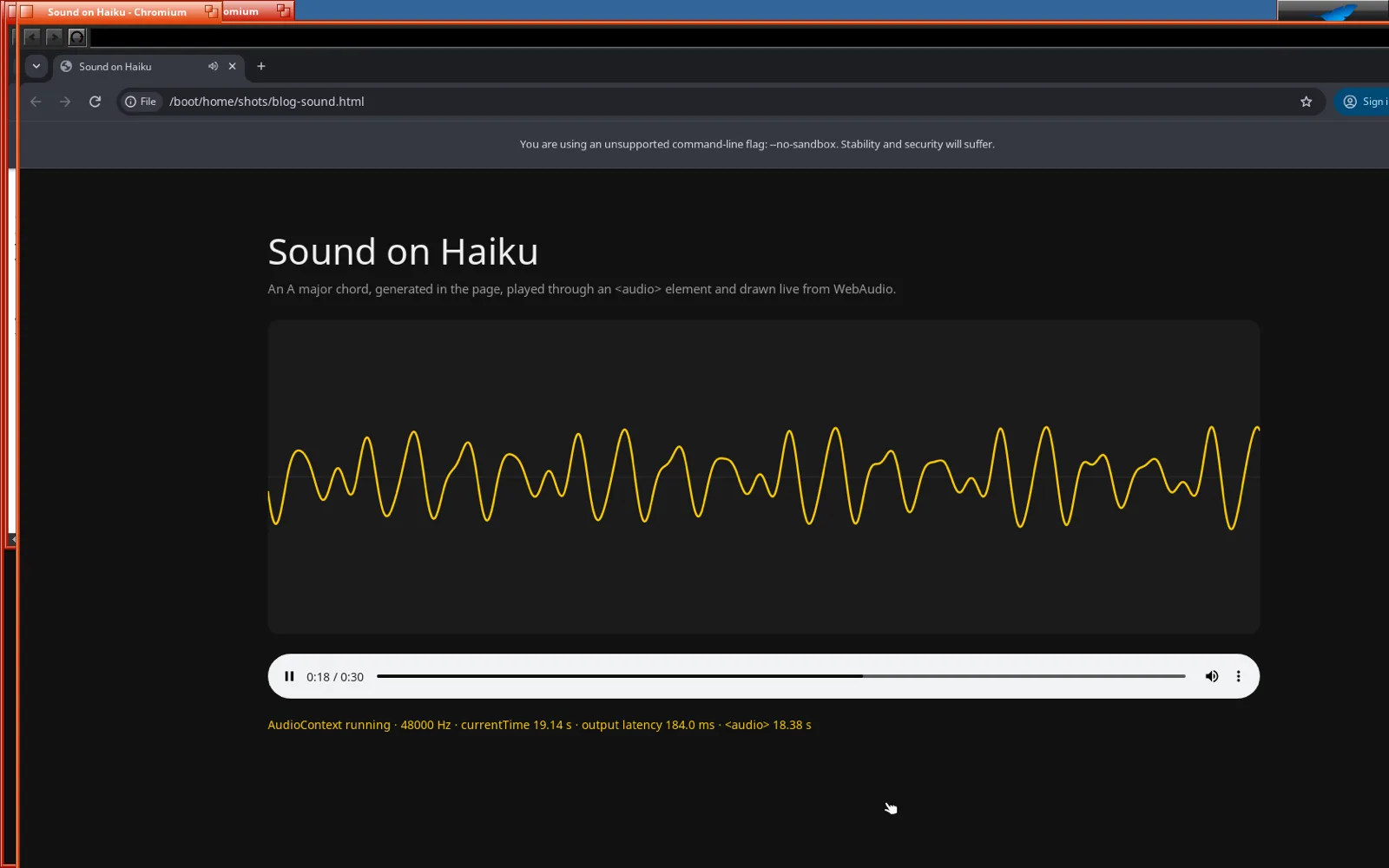
(01)A silent browser
After Chrome and the GPU, Chromium on ARM64 Haiku could do almost everything a browser does on my MacBook Pro, except make a sound. Videos played in silence. So at 00:27, with the GPU work freshly pushed, I asked Claude the obvious question: “does sound work in utm?”
At 00:54 a tone came out of the Mac's speakers. As before, this is Claude's work, start to finish. I didn't write a single line of code.
(02)Missing at every layer
The short answer was no, and not for one reason but three. Sound was missing all the way down:
- The virtual machine had no sound card. UTM was starting it with audio switched off.
- Haiku had nothing to play sound with. The ARM64 nightly is the minimal build. It has no audio drivers, and none of Haiku's media kit, the servers and libraries every Haiku app plays sound through.
- Chromium had nowhere to send it. The Haiku port used Chrome's placeholder audio backend, which quietly throws every sample away.
(03)A sound card from 2004
UTM can give a VM a modern virtual sound device, virtio-sound, but Haiku's driver for it is a 134-line stub that doesn't play anything. So Claude picked an emulated Intel HD Audio card instead, the kind found in PCs since 2004, because Haiku's driver for that one is old and solid. Inside the VM, the sound goes to that card. On the Mac, UTM hands it to the speakers.
One snag: the first config change didn't stick. UTM was running, and it quietly saved its own copy of the VM's settings over the edit. Quitting UTM first fixed that.
(04)Haiku’s media kit, built by hand
Since the ARM64 image ships without the media kit, Claude built it from Haiku's source: the HD Audio driver, the media libraries, the media server and its helper, the system mixer, and the add-on that connects the mixer to the sound card. They live in Haiku's folder for software that isn't installed from a package, and the media server now starts at boot.
On the next boot the driver found the card's audio chip and showed up as a sound device, and the mixer connected to it. Haiku could make sound. Chrome still couldn't.
(05)Teaching Chromium to talk to Haiku
On Haiku, the simple way for an app to play sound is a class called BSoundPlayer: you give it a function, and the media kit calls that function whenever it wants more audio. Chrome's port reaches Haiku's own libraries through a small bridge library, so Claude added the sound player to the bridge, at 48 kHz stereo.
On the Chrome side it replaced the placeholder with a real Haiku audio backend. The media kit asks for audio on its own schedule and in its own buffer sizes, and Chrome produces it in its own, so a small buffer sits between the two and absorbs the difference. Everything in a page that makes sound, from WebAudio to the <audio> and <video> tags, goes out through this one backend.
(06)One buffer, then silence
The first test played a single buffer of sound, then nothing for about 13 seconds, then a timeout in the log. The log also complained that a socket inside Chrome had been disconnected, which looked like the culprit. It wasn't. That's just how Haiku reports the other end going away, and the other end had gone away because everything was stuck.
The real cause was one innocent-looking question. Each time the media kit asked for audio, the new code asked the sound player how much delay there was before the sound reached the speakers. Answering that means sending a message to the sound player's own media node, and that node's messages are handled by the very thread that was busy asking. It was waiting for itself. After 13 seconds the request timed out, and by then the whole audio graph had stalled.
The fix: ask once, right after playback starts, and remember the answer. The next run played the test tone and the test clip, both on time, and I heard them on the Mac.
At 00:53 Claude summed up the night and listed three loose ends: getting the Mac GPU driver fix upstream, the sites that still reject the browser, and a faster way to get frames from the GPU to the screen. It suggested stopping there. My reply was “night is still young, do all 3”.
(07)Pops
Once those three were done, I put on a YouTube video. It had sound, and it popped. So I told Claude: “popping noise when playing youtube video”.
The first cause was in Chrome. Every 20 milliseconds the media kit asked for the next slice of sound, and the new code went and asked the page for it, then waited. With YouTube decoding video on the CPU, the page was often late, and the media kit got silence for that slice. Each gap was a pop. Claude moved the asking onto a high-priority thread of Chrome's own that stays three slices ahead, so when the media kit comes for sound, it's already waiting. That adds about 60 milliseconds of delay. Fifty seconds of YouTube went by without a single gap.
“I still hear popping noise.”
No gaps, and still popping, so the problem was somewhere else. A plain Haiku test tone, with no Chrome involved, popped too, which put it below Chrome altogether. The culprit was the sample rate. The virtual sound chip in the VM offers rates up to 96 kHz, and Haiku's driver picks the highest rate it's offered. So Haiku's mixer converted every 48 kHz sample up to 96 kHz, and the VM converted it back down to 48 kHz on the Mac, and each conversion added its own timing slop.
Claude made three changes at once: the driver now ignores rates above 48 kHz, it uses bigger buffers, and UTM sends the VM's sound straight to macOS's Core Audio instead of through its remote-display connection. Twenty-four minutes after my first message about it, the pops were gone. Because the three went in together, nobody knows yet which one mattered most.
(08)What it is, and what it isn’t
It's sound out of Chrome on ARM64 Haiku, YouTube included, through Haiku's own media kit and mixer, the way any native Haiku app plays sound, and out of the MacBook Pro's speakers.
It's output only, so there's no microphone yet. Chrome reports about 180 milliseconds of delay to the speakers, which is fine for music and video and too slow for a game or anything you play live. The 48 kHz cap in the driver is a workaround, where the proper fix would be a setting for the rate. The Core Audio switch is a UTM setting that applies to every VM. The media kit is a hand install rather than proper packages. And everything from the earlier posts still applies: one process, no sandbox, a patched copy of UTM for the GPU, and an experimental port.
Claude did all of it: the sound card setup, building the media kit, the bridge, the Chrome audio backend, the deadlock hunt, both rounds of pops and the write-up. The model was Claude Fable 5.1 on high thinking effort, with the 1M-token context window. My part was the question, listening for the tone, and “I still hear popping noise”. The technical details are in the sound section of the write-up on GitHub.