(01)BeOS, briefly
I briefly used BeOS in the 90s. I didn't do much with it, but I never forgot how it felt: the little yellow tab on top of every window, and a desktop that answered the moment you touched it. Be Inc. didn't make it, and by 2001 BeOS was gone.
It never quite went away, though. That same year a group of volunteers started rebuilding it from scratch as open source. Today it's called Haiku, and it still has the yellow tabs. There's even an experimental port for ARM64 chips, which happen to be what's inside my MacBook Pro.
So one evening this October I handed the question to Claude: could Haiku run on this machine, and could it be made useful enough to do real work in? “Real work” these days mostly means a browser, and a browser means Chrome.
Browsers have always been the sore spot on Haiku. On x86 I tried WebPositive, Iceweasel and Falkon, and none of them was really usable day to day. On ARM64 it's far worse.
What follows is Claude's work, start to finish. I didn't write a single line of code. I described what I wanted, tried things on the VM, and reported back when they broke.
(02)A very bare start
The ARM64 nightly image boots in UTM, a free virtual machine app for the Mac, and it gets to the desktop in about thirty seconds. Then you notice what isn't there. It has about 25 packages, a 336 MB disk, no SSH, no tar, and no TLS, so it can't even download anything over HTTPS.
Claude spent the first day on plumbing. It grew the disk to 32 GB, then cross-compiled OpenSSH, OpenSSL, curl, git and Python from a Linux container, and Rust and Node.js after that. Along the way it fixed three small things in Haiku itself: the VM couldn't power off, network connections never noticed when the other side hung up, and the Mac trackpad scrolled the wrong way. All of that lives in haiku-arm64-bootstrap.
For a browser it installed R Chromium, a port by the developer rainygirl that brings Chromium's rendering engine to Haiku. It loaded haiku-os.org, GitHub and Google over HTTPS, so it looked like a done deal.
(03)“This browser or app may not be secure”
Then came Google sign-in, and Google said no, right after the email address went in.
Couldn't sign you in. This browser or app may not be secure.
Claude worked out why. R Chromium isn't the Chrome browser. It's content_shell, a bare test harness that Chromium's own developers use to exercise the web engine. It has no tabs, no profiles and no settings, and it doesn't send the extra identification headers a real Chrome sends. Changing its user agent string didn't fool Google either.
So Claude's answer was to build the real thing: the whole //chrome browser, with the tab strip, the omnibox, profiles, settings and extensions, for an operating system Chrome has never heard of.
(04)Building Chrome for an OS it has never heard of
Chromium's build tools only run on x86-64 Linux. So Claude put a build machine together from borrowed parts: a small Linux VM on the Mac, kept on an external SSD because the source tree and build need about 70 GB, running an x86-64 container through Apple's Rosetta translation, cross-compiling for ARM64 Haiku against system headers built from Haiku's own source.
rainygirl's port had already taught Chromium's lower layers about Haiku: windows, files, threads, fonts, audio and the V8 JavaScript engine. What it didn't cover was the browser on top, the half of Chromium that only knows Windows, macOS, Linux and ChromeOS. The trick Claude landed on was to stop arguing and tell Chrome that Haiku is a kind of desktop Linux. It wrote two small scripts for that. One rewrote about 260 build-file conditions from “Linux” to “Linux or Haiku”. The other did the same in about 110 source files that define features and settings. Where the code really is Linux-only (PulseAudio, CUPS printing, Bluetooth pairing), it stayed off, and Claude wrote small “not supported here” versions of the desktop pieces Haiku lacks.
A full build is about 60,000 compile steps, roughly eight hours on 14 cores. When it finally linked, the change came to 534 modified files and 79 new ones in Chromium, plus small changes in 15 of the libraries it pulls in.
(05)It runs. Then it crashes.
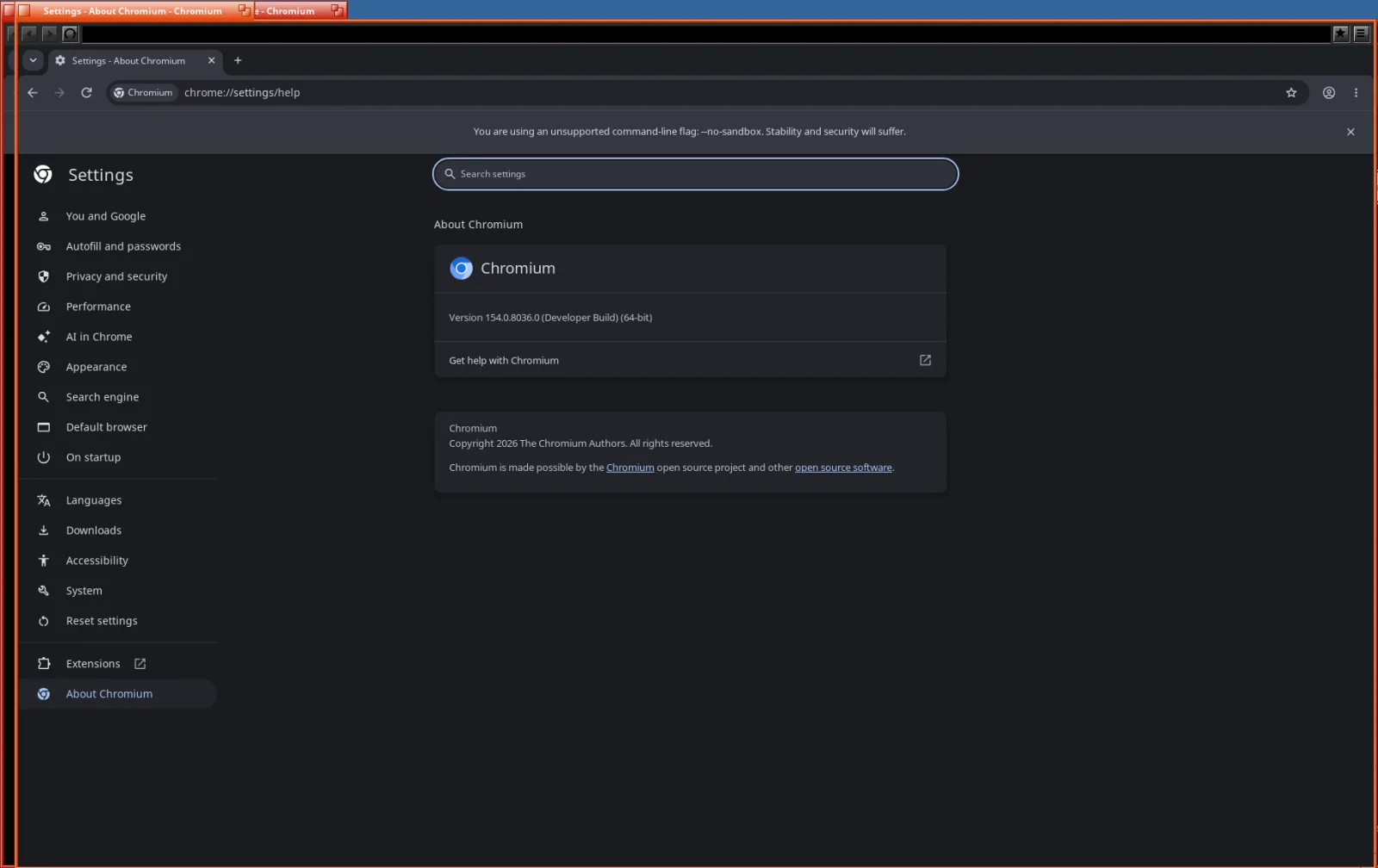
The first launch didn't even start: Could not map image: Bad data. Chromium's linker lays programs out in 64 KB pages, and Haiku on ARM64 wants 4 KB. After one linker flag the window opened. Then came a run of crashes, and Claude fixed each one:
- A missing notification service. Chrome checks on startup that there's a way to show notifications, and Haiku had none, so it got a small one that politely drops them.
- Two functions that ran off the end of a chain of
#ifs for every OS except Haiku. The compiler had been told to trap that case, and it did. - The best one: a crash 30 seconds after opening a new tab. Blink checks that the text locale is still the plain “C” locale. Haiku has a C locale too, but it calls it
"POSIX". Nothing was actually wrong. It just had a different name.
Chrome also drew its own Windows-style minimize, maximize and close buttons inside Haiku's window, right under the yellow tab. I asked for Haiku-style buttons, and Claude switched Chrome to its “use the system title bar” mode. Now the window looks like it belongs on Haiku.
I also wanted dark mode. Haiku ships a complete dark color set but no switch for it, so Claude added a one-click Dark mode check box to Haiku's Appearance preferences. Chromium checks it at launch and goes dark to match.
And then the moment the whole thing was for: I signed in to Google. It just worked.
(06)The VM that froze
After about an hour of normal browsing, the whole virtual machine locked up. No mouse, no network, and the Mac's CPU meter pinned at 800%. After a restart, the last line in the system log read low resource memory.
Claude traced it to two Haiku habits Chrome didn't expect. Linux lets programs reserve huge stretches of address space and only charges them for what they touch. Haiku charges for every page a program is allowed to write to. On top of that, Haiku quietly ignores the usual “I'm done with this memory” hint. Chrome's memory allocator does both all day long. Sitting idle on a new tab, the browser had 12 GB reserved and was using 1.1 GB. A few lines telling the allocator to mark its reservations as “don't charge me yet”, and to use the hint Haiku does honour, brought it down to about 0.6 GB.
(07)WebGL, the long way round
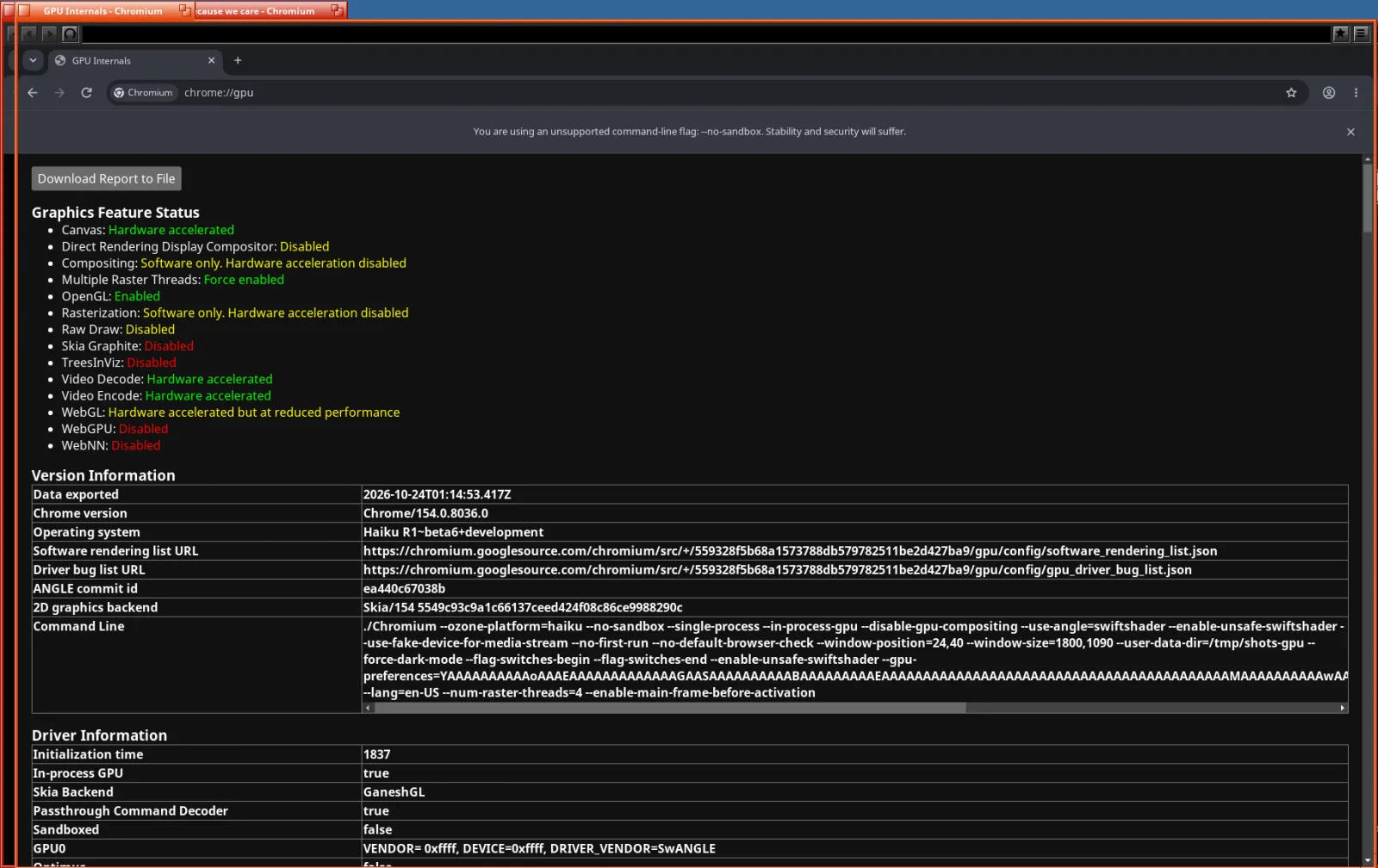
Haiku in a VM has no 3D graphics. UTM can share the Mac's GPU with some guests, and Claude tried it, but Haiku only gets 2D out of it. So WebGL had to be done by the CPU. Chromium can do that with SwiftShader, a software GPU that runs Vulkan on the processor, with Google's ANGLE translating WebGL into Vulkan on top.
Claude built both, opened a WebGL test page, and got this:
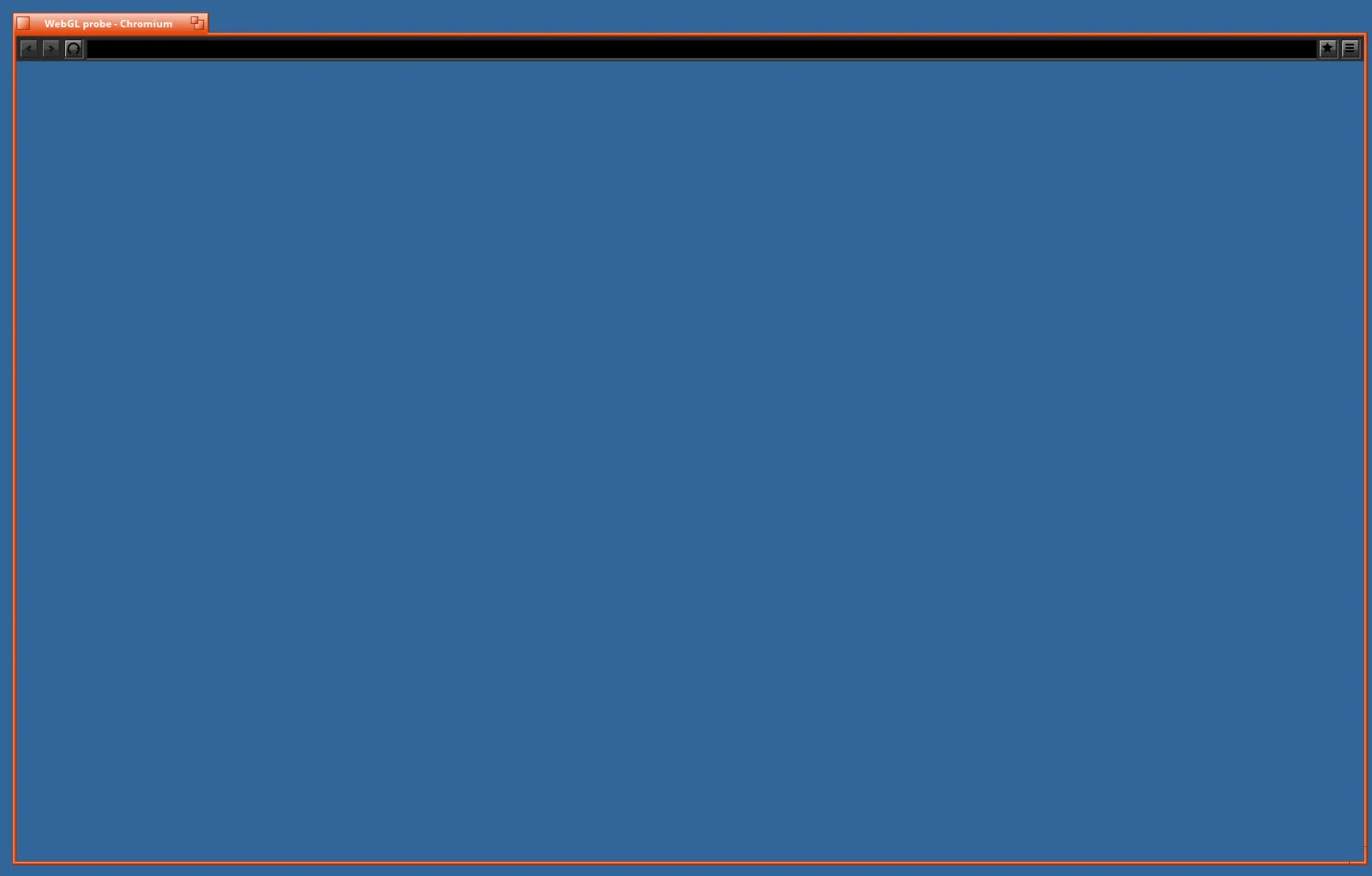
No crash, no error, nothing in the log. Every thread was just waiting. Haiku on ARM64 doesn't ship a debugger yet, so Claude wrote a tiny one, hstack, that pauses each thread and prints what it was doing. The stacks told the story:
- SwiftShader turns shaders into machine code on the fly. On systems it doesn't recognise, it takes the memory for that code from the normal heap and flips it to “executable”. Haiku's memory allocator later tried to write its bookkeeping into those pages, and crashed.
- Chrome's crash handler then ran and, before printing anything, asked “is a debugger attached?” On Haiku, that question logged a “not implemented” message, and logging needs memory. The crash had happened inside the memory allocator while it held its lock, so the handler waited for that lock forever. The crash had turned itself into a silent hang.
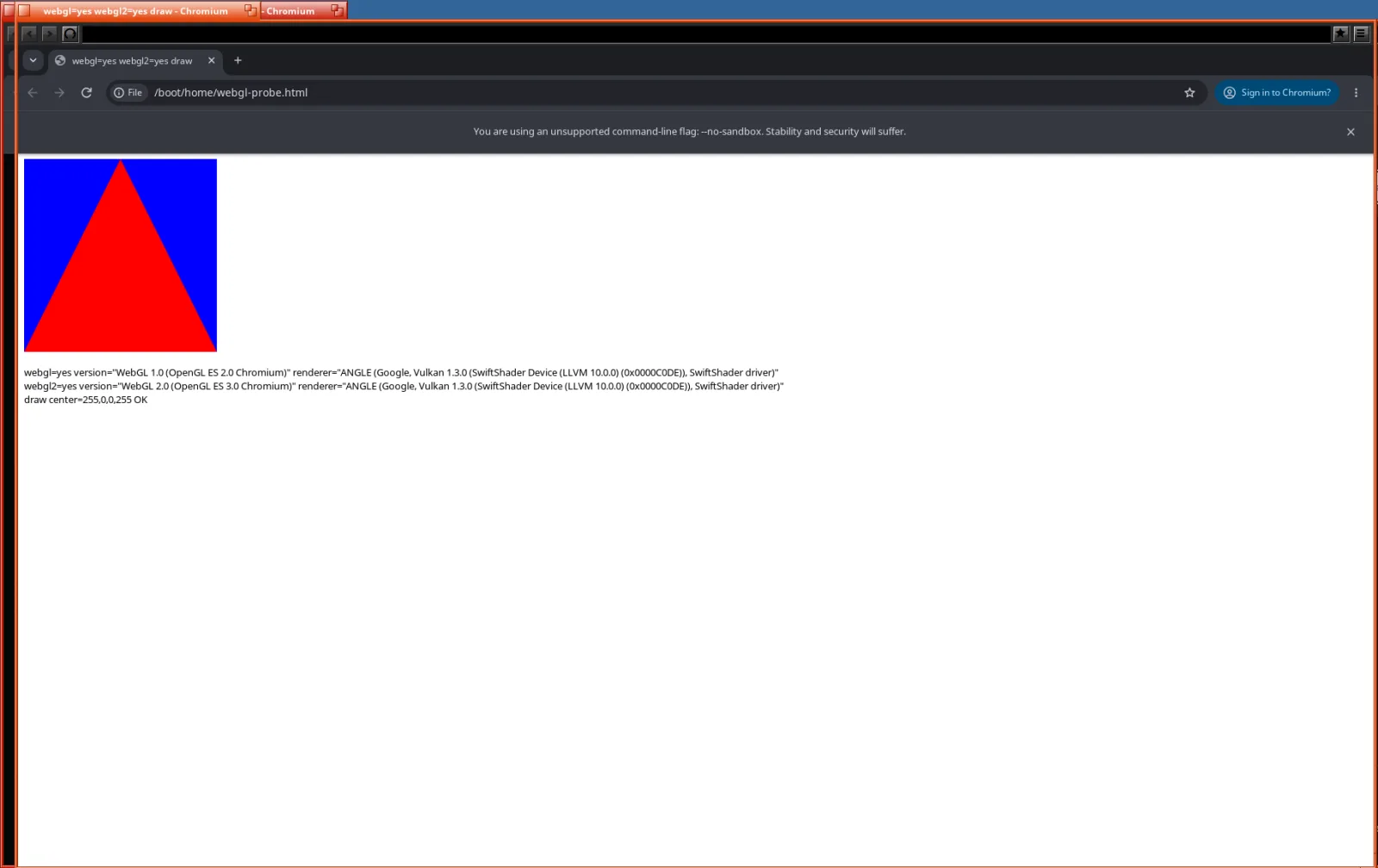
Two small fixes: give SwiftShader its own memory mappings on Haiku, and give the crash handler an answer that doesn't allocate. Then a red triangle appeared, and WebGL 2 along with it.
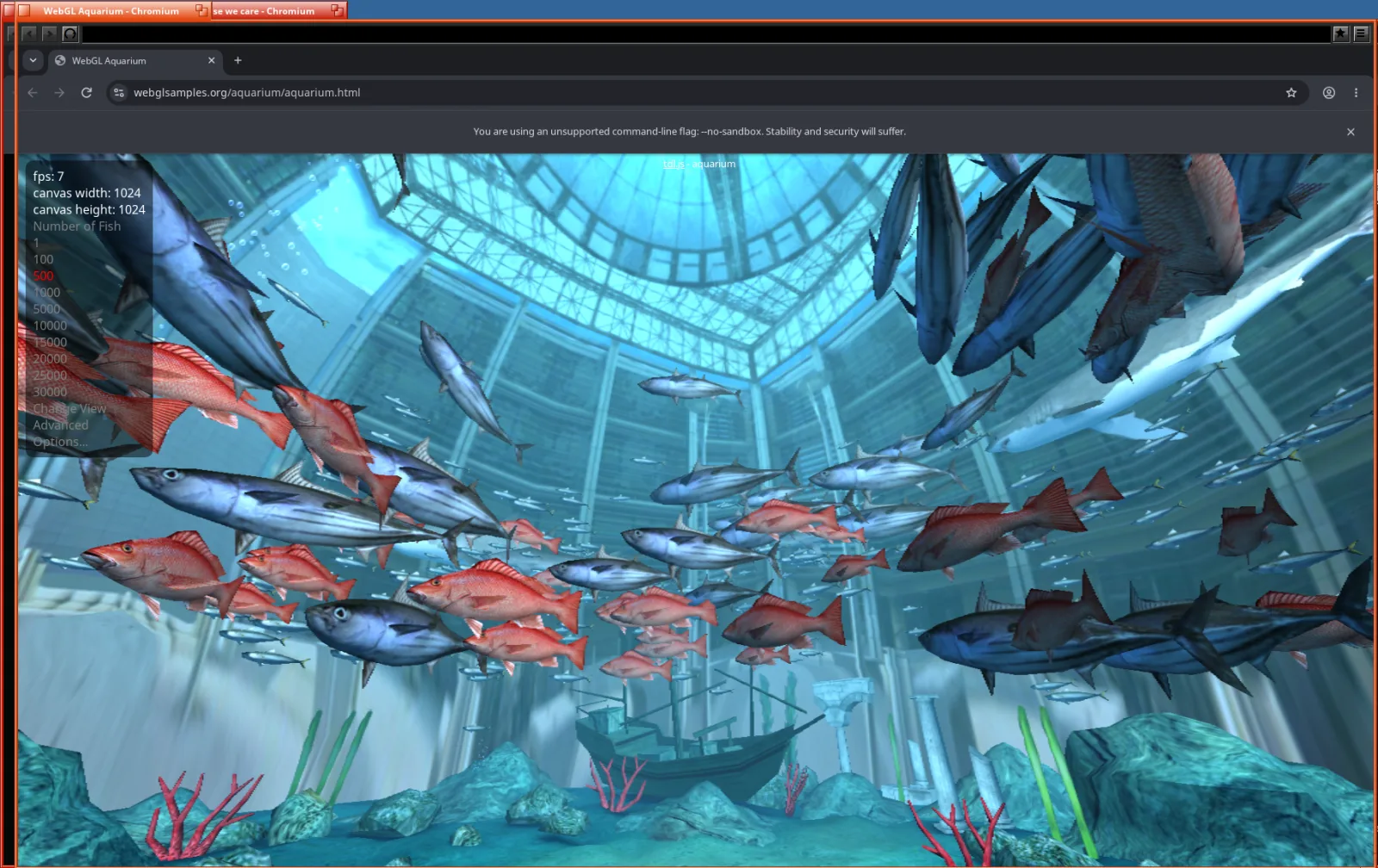
For a proper workout Claude loaded the classic WebGL Aquarium. Five hundred fish, about ten frames a second, all eight virtual CPUs busy, and no crash.
(08)Then it crashed on this website
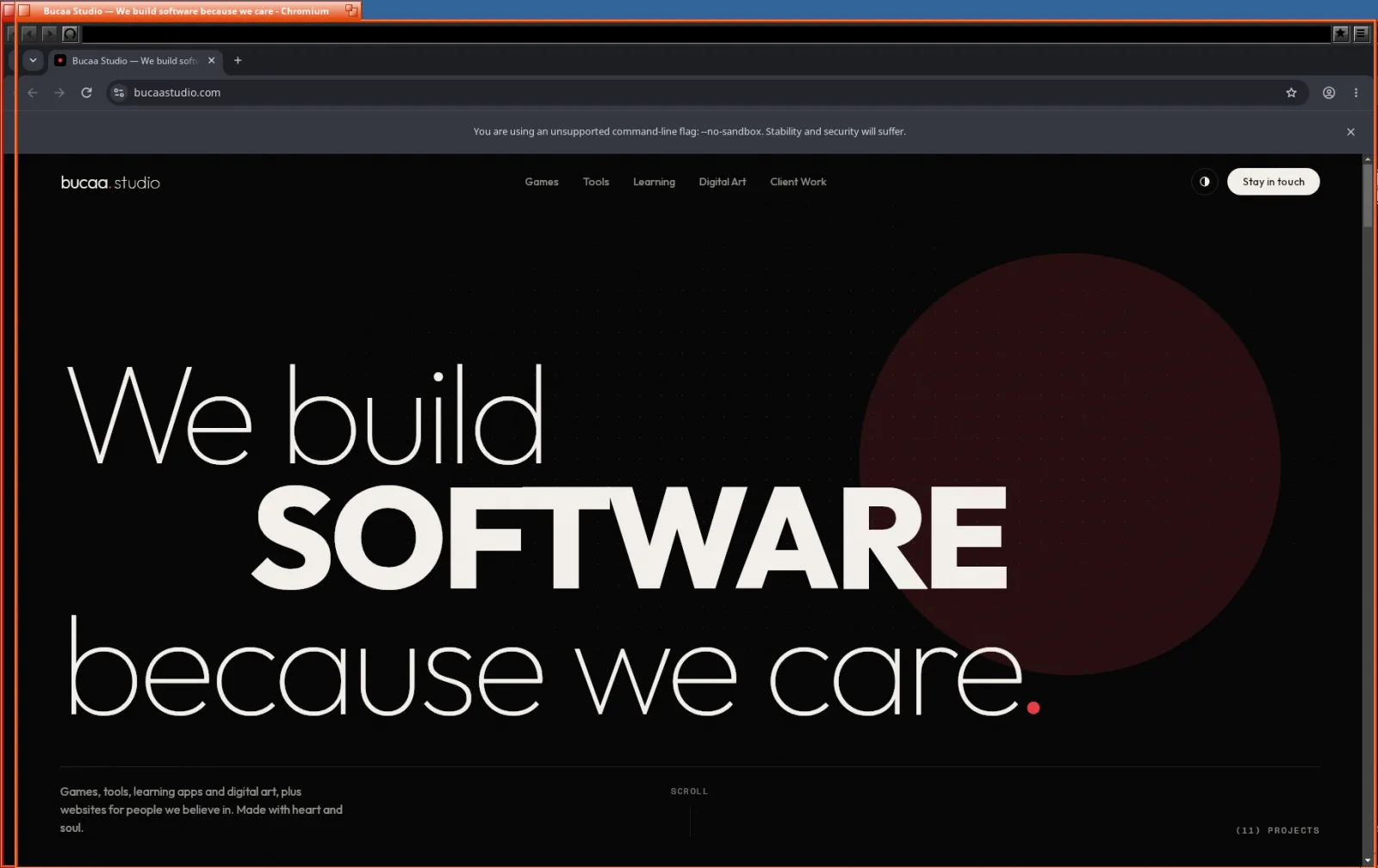
Feeling good, I opened bucaastudio.com, this site, and the browser died instantly. I told Claude, and the fix came back a few minutes later.
This site asks for the system-ui font, which means “whatever font the operating system uses for its own interface”. On Linux, Chrome passes the name of that font to the page renderer. On Haiku it never did, and the renderer, finding an empty name, stopped on a safety check. One line later, system-ui falls back to the regular sans-serif font the way it does on Linux. Plenty of other sites use system-ui too, so this one was worth hitting early.
(09)What it is, and what it isn't
It's the real Chrome browser, version 154, on Haiku for ARM64. It has tabs, profiles, extensions, Google sign-in and WebGL, and it lives in Haiku's Deskbar menu with its own icon.
It isn't finished. It runs as a single process with no sandbox, so Chrome shows a warning bar about that at the top of every window. WebGL runs on the CPU, so it's fine for maps and demos and slow for games. There's still a leftover toolbar from the content_shell days sitting above Chrome's own. And Haiku on ARM64 is itself an experimental port.
Next goal: GPU acceleration. The aim is to get WebGL and page compositing running on the MacBook Pro's GPU instead of keeping eight CPU cores busy. Update: done the same night, see GPU acceleration on Haiku.
To be clear about who did what: Claude did all of it. That means the porting, the builds, the debugging, the patches, the tools and the documentation, and it took the screenshots on this page too. I didn't write a single line of code. My part was the BeOS itch and a stream of messages like “login working” and “chrome crashes on bucaastudio.com”. The model was Claude Opus 5.5, with the 1M-token context window, on xhigh thinking effort.
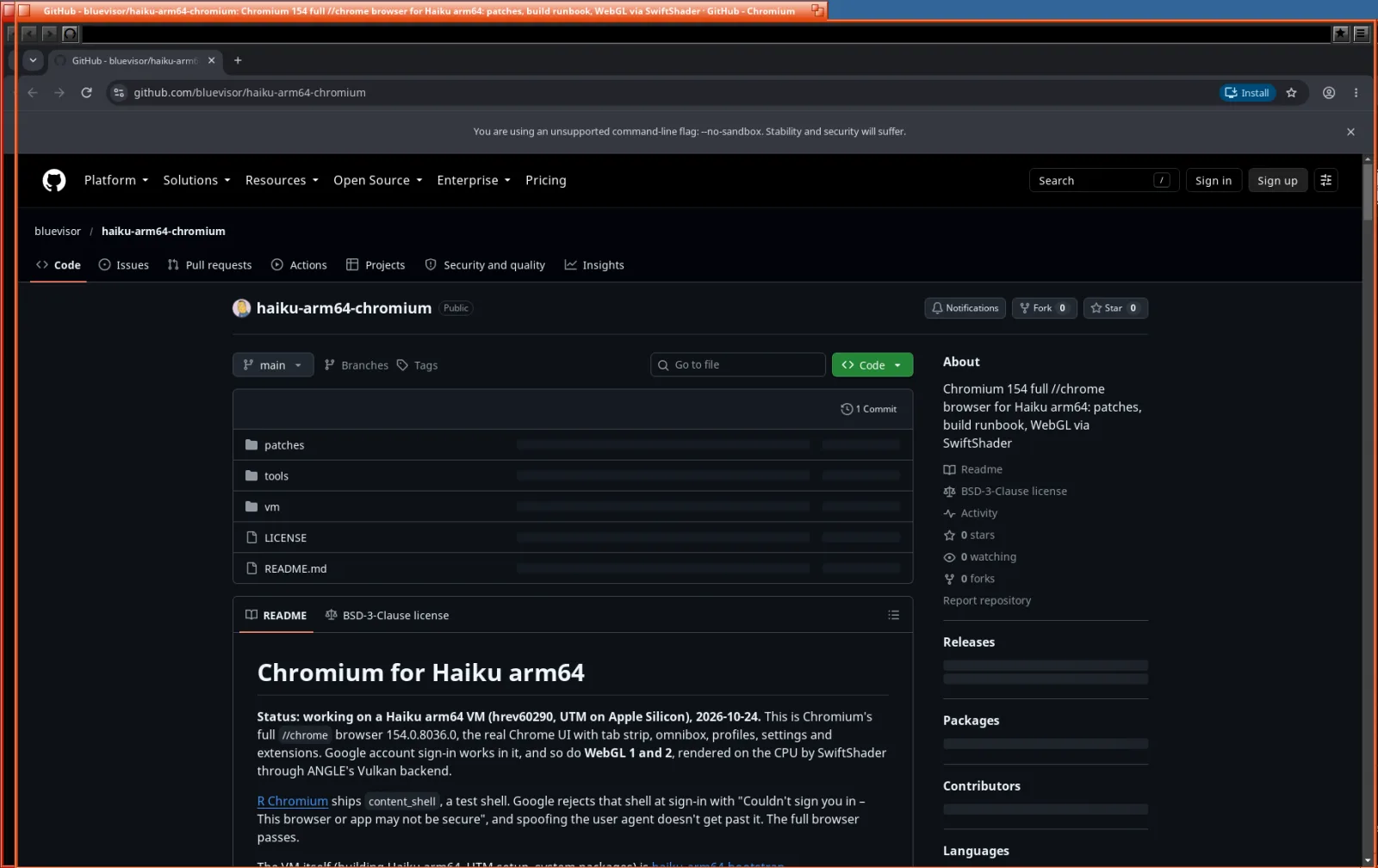
Everything you need to rebuild it is on GitHub. That includes the full patch set against Chromium 154, a step-by-step build guide, every runtime fix with the reason behind it, and the little VM tools for screenshots, typing and stack dumps. Thanks to rainygirl for the port this stands on, to the Haiku project for keeping the yellow tabs alive, and to the Chromium authors.