(01)Where we left off
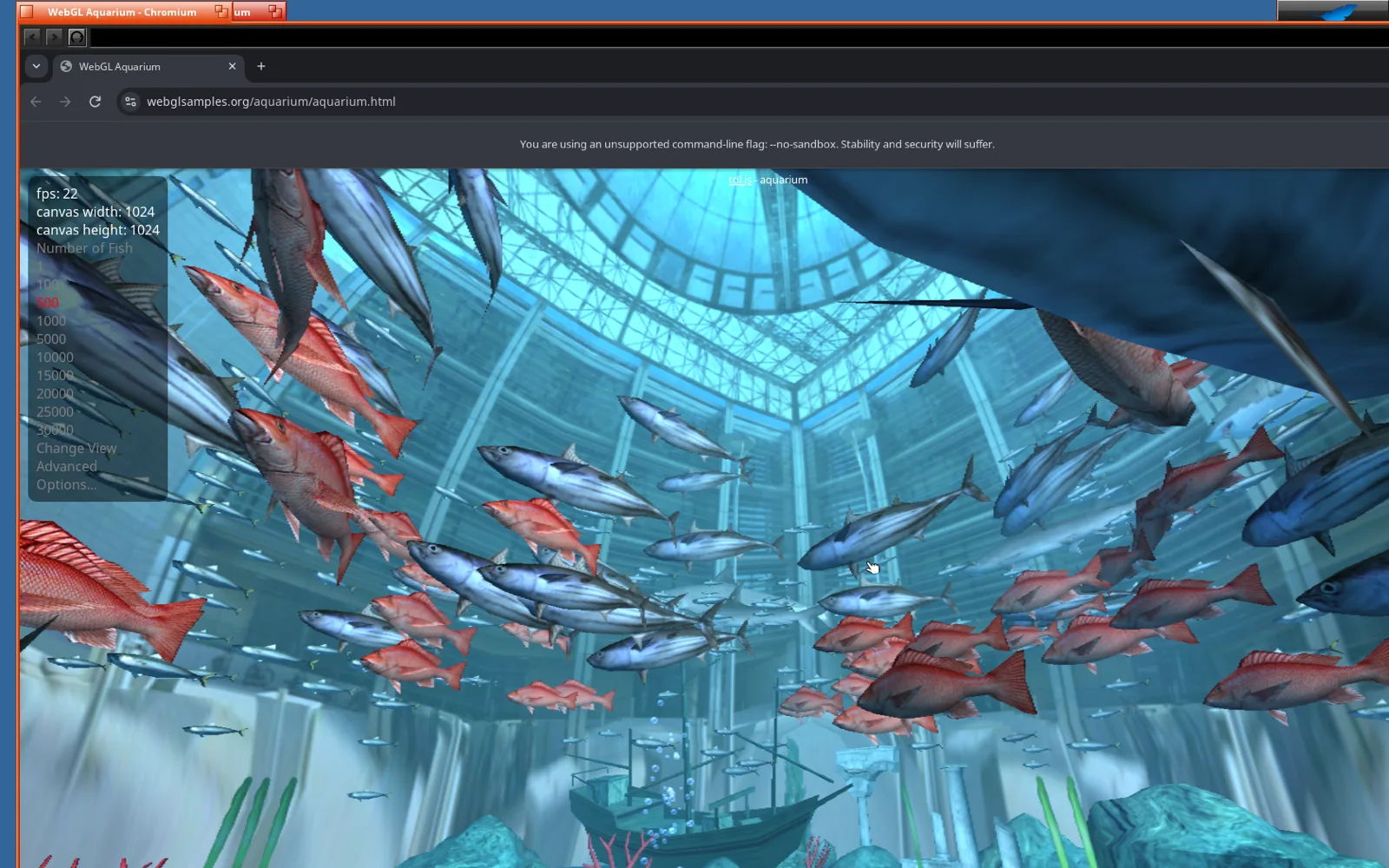
In the last post, Claude got the full Chrome browser running on ARM64 Haiku, the open-source successor to BeOS, in a virtual machine on my MacBook Pro. It ended with WebGL working, but only just. Every frame was drawn by the CPU, the WebGL Aquarium crawled along at about ten frames a second, and all eight virtual cores were busy doing a job a graphics chip does without noticing.
Meanwhile the MacBook Pro has an M5 Pro with a perfectly good GPU, sitting idle. Haiku couldn't see it. So the same evening that post went up, I asked Claude to plan how to get GPU acceleration working.
A little over three hours later, just after midnight, Chromium on Haiku was drawing WebGL 2 and its whole window on the Mac's GPU. Again, this is Claude's work, start to finish. I didn't write a single line of code.
(02)A pipe to the Mac’s GPU
A virtual machine can't simply borrow the Mac's graphics chip. What it can do is send drawing commands out to the Mac and have the Mac run them. The modern way to do that is called Venus. Programs inside the VM talk Vulkan, the industry-standard graphics interface. Venus packs up each Vulkan call and sends it through a virtual graphics card called virtio-gpu. On the Mac, a program called virglrenderer unpacks it and replays it on a real Vulkan driver, which turns it into Metal, the language Apple's GPUs speak.
Linux guests get all of this for free, and UTM, the VM app I use, already starts every VM with Venus switched on. Everything missing was on the Haiku side. Claude split it into four steps:
- Teach Haiku's virtual graphics card driver to do 3D.
- Build a Vulkan driver for Haiku that speaks Venus.
- Point Chromium's WebGL at it.
- Move the rest of Chrome's drawing onto the GPU too.
(03)A graphics driver that only knew 2D
Haiku already had a driver for virtio-gpu, but all it knew was how to show a screen. That's why, last time, Haiku got 2D and nothing else out of UTM's GPU sharing.
Claude taught it to ask the virtual card for its 3D features, find the window of memory that the Mac and the VM share, and keep many requests in flight at once instead of one at a time. Then it added a second device next to the display, a so-called render node, for programs that want to draw in 3D. They can't use the display's device, because opening that one resets the screen.
The new interface copies the one Linux uses, so the Vulkan driver in the next step would need few changes. Two things had to be done the Haiku way. Linux lets a program map a device's memory straight into its own, and Haiku doesn't, so the driver does the mapping itself and hands back the address. Linux also has a special kind of file that becomes ready when the GPU finishes a job. Haiku doesn't, so Claude made a second open of the render node behave like one.
One bug is worth telling. On ARM64, memory that belongs to a device is mapped by default in a strict mode meant for hardware registers, and it faults if anything reads it at an address that isn't neatly aligned. The ordinary memcpy function does exactly that, all the time. Mapping the shared memory as normal memory fixed it.
The driver change came to about 1,400 lines. It installs so that “Disable user add-ons” in Haiku's boot menu brings back the original driver. Claude's test program found the Mac on the other end, mapped a block of shared memory in 44 microseconds, and heard back that a GPU job had finished in 177.
(04)Vulkan for an OS without Vulkan
The Vulkan driver came from Mesa, the open-source graphics project behind most Linux desktops. Its Venus driver only knew how to talk to Linux's graphics stack, so Claude gave it a Haiku backend aimed at the new render node, about 840 lines. It compiles on the Haiku VM itself in a couple of minutes.
Haiku also lacks the small library that normally sits between programs and Vulkan drivers. Claude wrote a 51-line stand-in that does the one thing Chromium needs from it.
Then the first answer came back from the other side: a device called Virtio-GPU Venus (Apple M5 Pro). Copying 8 MB and filling another 8 MB on the GPU took 0.63 milliseconds, and the result checked out. The first two steps had taken less than an hour.
(05)WebGL 1, and a ceiling
Chromium draws WebGL through Google's ANGLE, which translates it into Vulkan. On Venus, every WebGL page failed with Internal Vulkan error (-8). ANGLE smooths jagged edges with a temporary image and insisted on a special kind of GPU memory for it, even when the image couldn't use that kind. After a 24-line fix to ANGLE, WebGL 1 worked.
WebGL 2 didn't. ANGLE only offers it when the Vulkan driver supports a feature called provoking vertex, which decides which corner of a triangle sets its color when the triangle is flat-shaded. UTM's default Mac driver, MoltenVK, doesn't have it.
I asked Claude to see if it could fix that on the Mac side. It found that UTM ships a second Mac driver, Mesa's KosmicKrisp, which does have it, and a hidden UTM setting to switch to it. WebGL 2 appeared. Then everything that actually drew something broke.
(06)The texture that wasn’t there
On KosmicKrisp, the smallest test Claude could write, clearing an image to a single color, hung. Chromium got VK_ERROR_DEVICE_LOST, which means the GPU has given up. The only message on the Mac was this:
vkQueueSubmit resulted in CS error
Around ten that night I had Claude write a handoff note and carried on in a fresh session, this time with Claude Fable 5.1, which picked up the hunt.
The clues were on the Mac. Crash reports from UTM's render process showed a Metal copy failing on a texture that didn't exist. Tests inside the VM showed that images stored in a plain row-by-row layout worked, and images in the GPU's own optimised layout didn't. To see inside, Claude made a re-signed copy of UTM that allows a debugger, attached it to the render process, and caught the moment the texture came out empty. Three things lined up:
- On the Mac, UTM can't share GPU memory between processes the way Linux does. So it backs every piece of GPU memory the VM can see with ordinary shared memory, and hands that to the driver as a “host pointer”.
- KosmicKrisp has exactly one type of memory, and the VM can see it. So every allocation took that path, images included. MoltenVK only escaped because it keeps images in a type the VM can't see.
- KosmicKrisp wraps host-pointer memory in a Metal buffer and nothing else. Optimised images are meant to live in a Metal heap, and here there was no heap. Asking a heap that isn't there for a texture quietly returns nothing, and the GPU fell over on the first job that used it.
Claude wrote a small program that reproduces the crash on the Mac alone, with no VM involved, and then fixed it in KosmicKrisp. When an optimised image lands on memory with no heap, it now gets a texture of its own. That's allowed, because nothing can look inside an optimised image's memory anyway. The fix is about 80 lines.
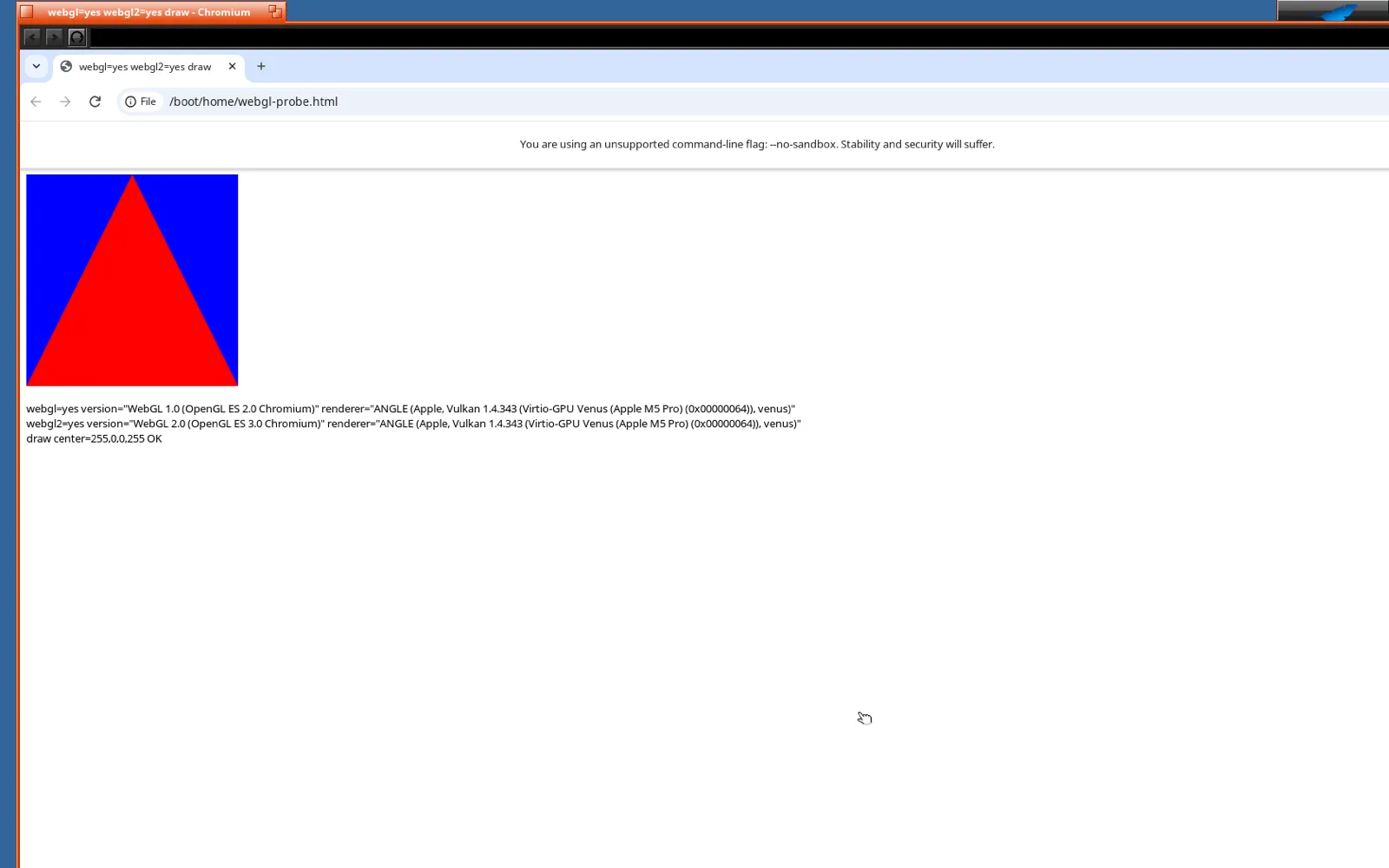
The WebGL Aquarium went from about 10 frames a second to 25.
(07)Meanwhile, two crashes
While all this was going on, I kept using the browser, and it kept falling over. Neither crash had anything to do with the GPU.
- Haiku lets a program have only 256 files open at once unless it asks for more. Chrome asks for more at startup on Linux and macOS, but not on an OS it doesn't know, so sooner or later it ran out. One more
#iffixed it. - Clicking into the address bar on a loaded page killed the browser instantly. Linux has a second clipboard, for middle-click pasting. Chrome assumed every desktop except ChromeOS had one, but only ever created it on Linux. Haiku is the first other desktop to get this far, so nobody had noticed.
My part in both was a message that said “chrome crashed again”.
(08)The whole window on the GPU
So far only WebGL ran on the GPU. The rest of the page, meaning text, images, scrolling and CSS effects, was still painted by the CPU, and so was Chrome's compositor, the part that stacks all of it into the final frame.
Moving that over has one catch: Haiku's window server has no way to give a window a GPU surface. Claude borrowed the approach Chrome uses on Linux machines whose display can't do that either. It draws the whole frame on the GPU off-screen, reads the pixels back once per frame, and copies them into the bitmap the window already shows. The first try lost the WebGL canvas entirely:
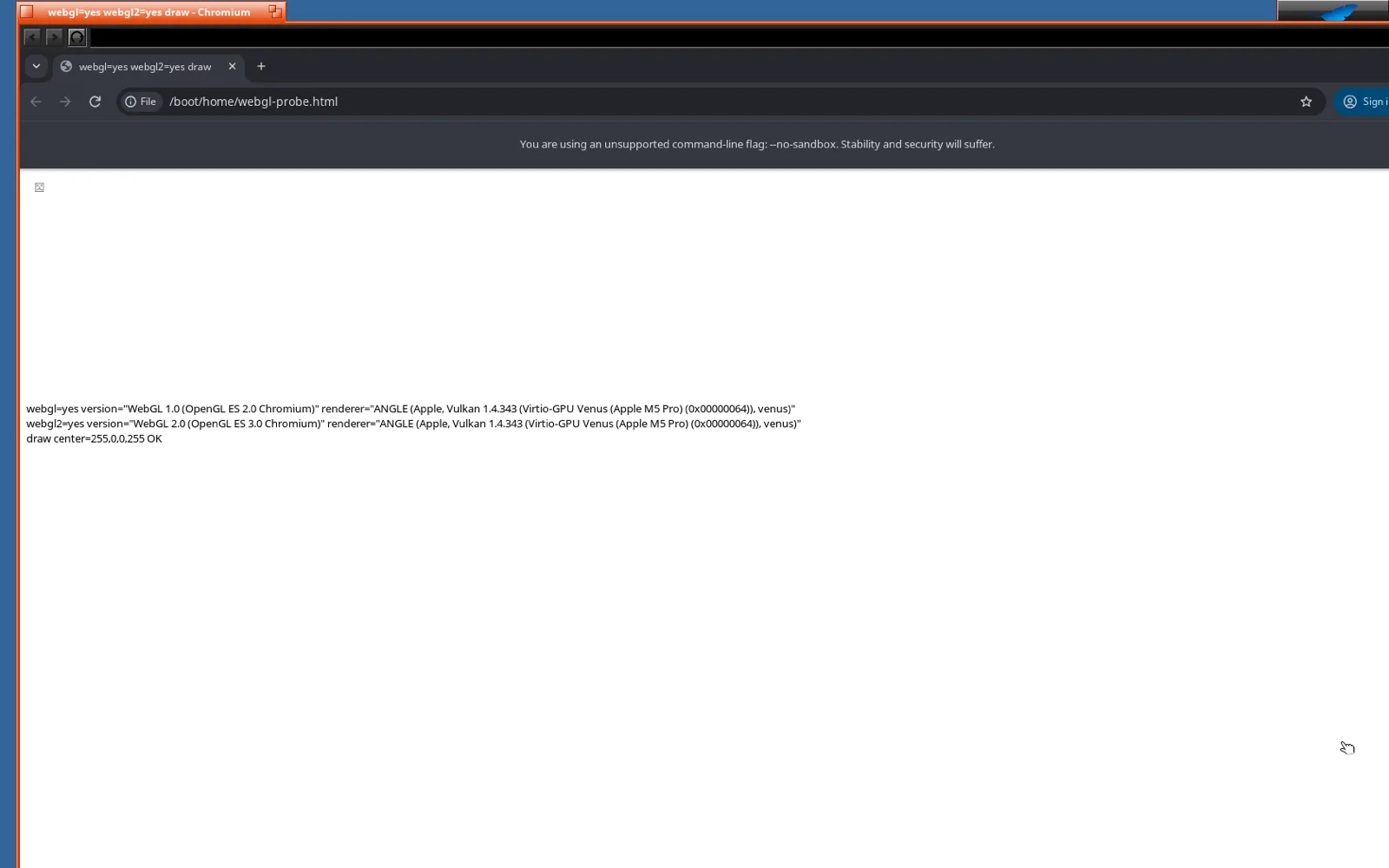
The log said Invalid resource for SurfaceId on every frame. With verbose logging switched on, there was one more line: Switching to software compositing. The compositor had quietly given up on the GPU and gone back to the CPU, while the page kept sending it GPU textures. A CPU compositor can't use those, so it threw them away.
The culprit was one Haiku file in Chromium that answered “no surface” whenever the compositor asked for a GPU one, before Claude's new code was ever reached. Claude made it ask the way Linux does.
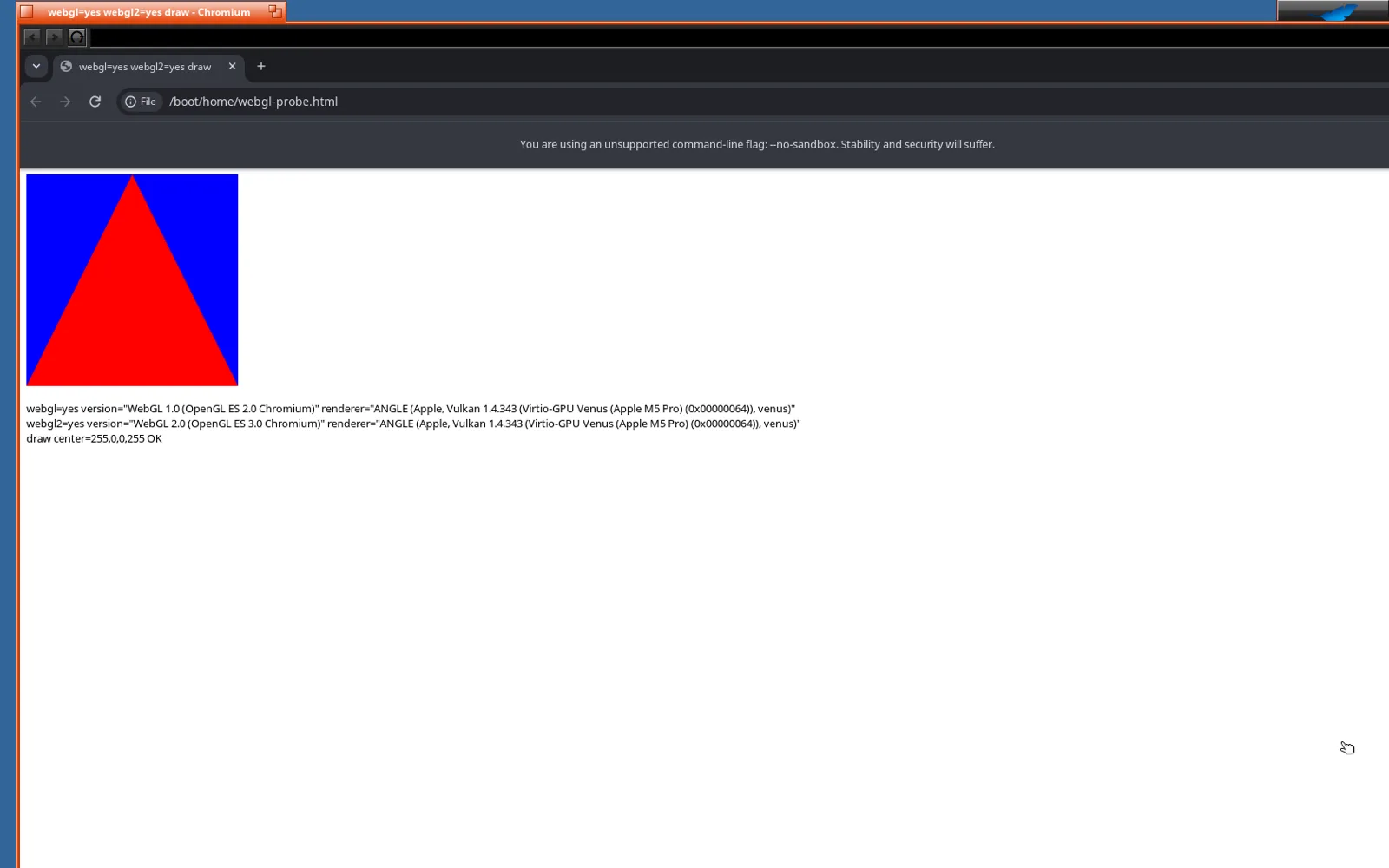
With the whole 1800×1090 window going through the GPU and back on every frame, the Aquarium runs at 22 frames a second, a little under the 25 it managed when only the canvas came back. Reading back just the parts that changed should win that back. It's on by default now. Chrome's menus got fixed along the way too: they now open as borderless floating windows that stay open until you pick something.
(09)What it is, and what it isn’t
It's Chrome on ARM64 Haiku with WebGL 1, WebGL 2 and the whole window drawn on the MacBook Pro's GPU. The chain runs from a new Haiku kernel driver, through Mesa's Venus driver and UTM, to a patched KosmicKrisp and Metal. The CPU path from last time is still there as a fallback, one setting away.
It isn't a one-click install yet. The KosmicKrisp fix isn't in UTM, so for now the VM runs in a re-signed copy of UTM with the patched driver dropped in. Stock UTM with its default driver gets WebGL 1 only. The Haiku driver and the Mesa backend are patches that aren't part of either project yet. And everything from the last post still applies: one process, no sandbox, an experimental port.
Next goals: get the KosmicKrisp fix upstream so stock UTM works, and sound. Chrome on Haiku is completely silent right now. My latest message to Claude was “does sound work in utm?” Update: that took another half hour, see Audio on Haiku.
Same as last time, Claude did all of it: the kernel driver, the Vulkan backend, the fixes in ANGLE, KosmicKrisp and Chromium, the test programs, the debugging and the write-up. Claude Opus 5.5 built the driver and the Vulkan backend on xhigh thinking effort. Claude Fable 5.1 took over from the handoff note for WebGL 2 and the compositor, on high. Both had the 1M-token context window. I didn't write a single line of code. My messages that evening were mostly “yes”, plus “see if you can fix ES 3.0 on the host side” and “chrome crashed again”.
The patches, the test programs and a detailed technical write-up of every step are in the gpu folder on GitHub. Thanks to the Mesa developers for Venus and KosmicKrisp, to UTM and virglrenderer for the plumbing on the Mac side, and to the Haiku project.